


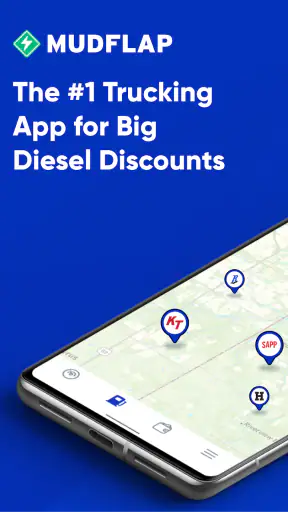

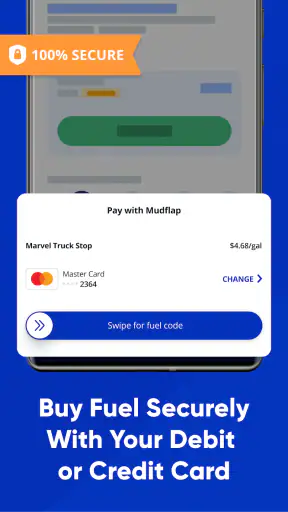
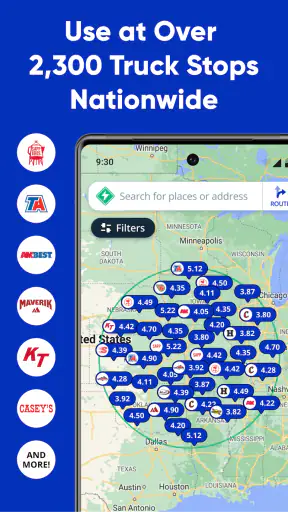
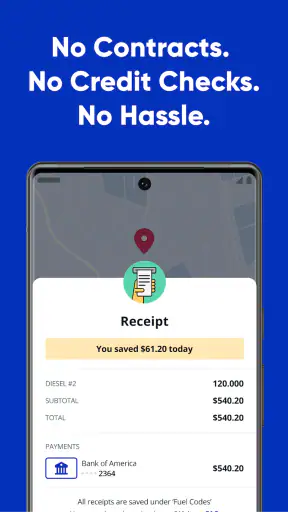
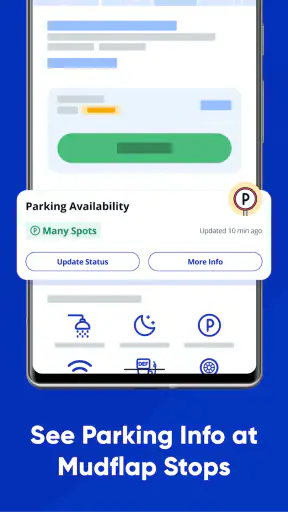

When I look at Mudflap, I see a focused diesel discount app rather than a general navigation replacement. Its main purpose is simple: help drivers find a better price when they need to fill up. I tested it with that expectation, and that focus is exactly where it makes the most sense. Instead of asking the app to plan an entire journey, I would use it as a quick fuel-cost check before stopping at a truck stop or diesel station.
Mudflap is a free Maps & Navigation app from Mudflap, available for Everyone and running on Android devices using OS 9 or later. It has grown into a widely used tool, with over a million installs, a 4.4 average from around four and a half thousand ratings, and roughly two thousand reviews. Those figures suggest that its appeal is not limited to occasional travelers; it is especially relevant to people who regularly spend money on diesel.
The capability I kept coming back to was the ability to look for diesel savings before committing to a stop. That sounds modest, but it changes the decision from “Which station is closest?” to “Which practical stop gives me a better fuel deal?” For a driver covering long distances, that difference can matter more than another set of turn-by-turn directions.
Finding a useful diesel stop instead of merely the nearest one
What the central feature changes
Most map apps are built around location first. You search for fuel, receive a collection of nearby stations, and then choose based on distance, visibility, or habit. Mudflap approaches the problem from the discount side. The important question is not only where diesel is available, but where using the app can make the fill-up cheaper.
That makes the app particularly relevant to truck drivers, delivery workers, contractors, and anyone whose vehicle consumes diesel regularly. A small saving at one stop may not feel important during a single errand. Repeated across frequent refueling, however, the habit of checking before filling can become more valuable than the time spent opening the app.
I also like that this narrow purpose keeps the decision understandable. I do not need to explore a complete travel-planning system just to compare a fuel stop. Mudflap is at its best when I already know I will need diesel and want a fast way to investigate the available saving before pulling in.
How I would use it before a trip
My practical workflow would be to open Mudflap before leaving, identify the area where I expect to need fuel, and compare the available diesel options with the route I am already taking. I would then consider the whole stop, not just the displayed discount: distance from the road, whether the location fits my vehicle, and whether stopping there would interfere with the schedule.
That last part is important. A lower fuel price is not automatically the best choice if reaching it means a long detour or an awkward return to the route. The app helps with the financial side of the decision, but I still need to apply common sense about time, access, and vehicle suitability.
A useful habit is to check before the fuel gauge becomes urgent. When the tank is nearly empty, the closest available station usually wins because there is no room for comparison. Checking earlier gives the discount feature a real chance to influence the stop. That is one of the less obvious ways to get value from Mudflap: use it as a planning tool, not as a last-second rescue.
A realistic everyday example
Imagine I am driving a diesel van on a delivery route and know that I will need fuel during the afternoon. I could wait until the warning light appears and use a familiar map app to find the nearest station. That would be convenient, but it would also leave me with little choice. With Mudflap, I can check the route in advance, identify a discounted option that does not create an unreasonable detour, and make that station part of the plan.
The benefit is not only the amount saved at that particular stop. The better result is avoiding an unplanned purchase at the first convenient location. This is where the app feels more useful than a generic fuel search: it encourages a deliberate decision before convenience takes over.
For a professional driver, the same approach can be repeated at the start of a shift or during a scheduled break. For a private diesel-car owner, the benefit is less dramatic but still practical on road trips. I would not open it for every short trip across town, but I would consider it before a long drive or whenever the tank needs a substantial refill.
The difference from ordinary navigation apps
Google Maps, Apple Maps, and similar navigation tools remain better choices when I need complete route guidance, traffic context, destination search, or a broad view of nearby services. They are designed to answer a wider range of travel questions. Mudflap is more specialized, and that specialization is both its strength and its boundary.
If my only question is how to reach a destination, I would begin with a standard navigation app. If my question is where to buy diesel at a better price while staying practical about the route, Mudflap deserves a place beside it. I would treat the two types of apps as complementary rather than expecting one to replace the other.
This distinction also prevents disappointment. Mudflap should not be judged as though it were a full navigation suite. Its value comes from improving the fuel-stop decision. A driver who wants traffic rerouting, detailed directions, or broad travel planning may find a conventional map app more suitable as the primary tool.
What the app is like in regular use
The most effective use is quick and purposeful. I would open the app with a specific question, inspect the diesel options, and decide whether the saving justifies the stop. That is a better fit for the app than browsing without a plan. The more often I refuel, the more natural this routine becomes.
There is also a useful mental shift here. Instead of thinking of fuel as an unavoidable fixed cost, I can treat the stop as a purchase worth comparing. Mudflap does not remove the expense, but it can make me more deliberate about it. That is a realistic benefit, especially for drivers who cover enough miles for fuel choices to accumulate over time.
At the same time, I would avoid assuming that the displayed saving automatically settles the decision. A discount only helps if the station is usable for my vehicle and fits the journey. I would check the practical details in context and keep a backup option in mind when traveling through unfamiliar areas.
Trade-offs I noticed
The first trade-off is coverage versus convenience. A specialized discount service is most helpful when it has a useful option near my route. If the best-looking deal is far away, the extra driving can reduce or erase the benefit. I would calculate the detour in time and fuel rather than chasing the largest apparent saving.
The second is that the app is built around diesel, not every possible refueling need. That makes it clearly relevant to diesel vehicles, but it also means owners of petrol cars, electric vehicles, or mixed fleets may get less from it. If diesel is not part of my regular routine, there is little reason to make this a central app in my travel setup.
The third is workflow friction. I still need to open a separate app, inspect the choices, and make a judgment. Drivers who want every travel function inside one familiar map may prefer the simplicity of staying with their existing navigation tool. Mudflap makes sense when the potential fuel saving is important enough to justify that extra step.
Another limitation is decision timing. The app is most useful before I am committed to a station. Once I have already pulled into a convenient location, the opportunity to compare has mostly passed. I would build the check into a routine—before departure, during a planned break, or when the fuel level is comfortably above empty—rather than waiting until the decision becomes urgent.
Small habits that improve the result
My first tip is to compare the complete stop, not just the discount. A station that requires a significant detour may be a worse deal than a slightly less discounted option directly along the route. The right choice is the one that balances price, distance, timing, and access.
My second tip is to use the app when the fuel purchase is large enough to justify attention. A long-distance fill-up or repeated work-route stop is a better opportunity than a tiny top-up. This keeps the process efficient and prevents me from overthinking minor errands.
My third tip is to check earlier than feels necessary. Planning while the tank still has range gives me flexibility. I can compare options, reject an inconvenient detour, and still reach a familiar alternative. Waiting until the last possible moment turns a comparison tool into little more than an emergency search.
My fourth tip is to pair Mudflap with a regular navigation app rather than trying to force it into that role. I would use Mudflap to evaluate the fuel purchase, then use my preferred map service for the actual route and traffic decisions. That division of labor is more realistic and avoids expecting a specialist tool to handle every part of a drive.
Who gets the most value
The strongest audience is anyone who buys diesel often enough for small improvements to matter: commercial drivers, delivery professionals, tradespeople, fleet users, and frequent road trippers. For these users, checking before a fill-up can become a repeatable cost-control habit rather than an occasional experiment.
I can also see value for an owner of a diesel pickup or van who takes regular highway journeys. The app may be worth keeping available even if I only use it before major trips, because those are the situations where a planned fuel stop is easiest to arrange.
On the other hand, I would skip it if I rarely drive, almost never use diesel, or mainly need navigation rather than fuel-price decisions. I would also look elsewhere if my priority were a single all-purpose travel app with route planning, traffic information, and broad points-of-interest search in one place.
The fact that Mudflap is free lowers the barrier to trying it. I do not have to commit money just to see whether its diesel-focused workflow fits my routine. Its current version is 3.36.1, and the app has been available since December 23, 2019, so it is not a brand-new experiment. Still, the right reason to install it is the specific fuel-saving use case, not the assumption that every driver needs another map app.
My final take on the focused approach
Mudflap works best as a companion for smarter diesel stops. I would not replace my usual navigation app with it, and I would not open it for every short journey. But when I expect a meaningful fill-up, especially on a work route or long drive, its focus gives me a useful extra question to ask before spending money.
What I appreciate most is the way it turns refueling into a planned choice. The app does not need to do everything to be useful; it needs to help me avoid treating the nearest station as the automatic answer. That is a modest capability, but for a driver who buys diesel regularly, modest savings repeated over time can make the habit worthwhile.
My recommendation is straightforward: if diesel is a regular expense, try Mudflap alongside your normal map app and judge it by whether it helps you choose better stops without adding inconvenient detours. If you mainly need directions or do not drive a diesel vehicle, a standard navigation option will probably serve you better. For the right driver, though, this free app offers a practical way to make fuel decisions more intentional.


